
20+
end-user platforms supported for running Unity creations
3.6B
downloads per month of Made with Unity applications
82
of the top 100 games use Unity to grow their games
Unity Gaming
Unleash your creativity
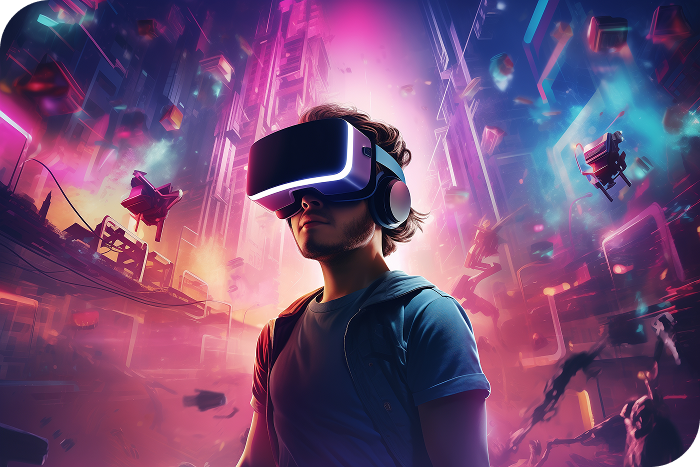
Unity's industry-leading engine provides tools to create and operate amazing games and other real-time interactive experiences and publish them to a wide range of devices.
Know More
Create once, ship anywhere
Be where your players are with support for innovative new platforms and technologies. Build your content once and deploy across all major AR, VR, mobile, desktop, and console platforms.

Build mobile games
Unity boosts mobile game success with swift prototyping, performance optimization, and revenue growth tools, enhancing player engagement across the game lifecycle.

A fast and flexible platform for programmers
Get great games in the hands of your players faster. Unity enables both rapid prototyping and scalable asset pipelines with a customizable Editor. Deploy high-performing C# code to over 20 platforms.
Unity Industry
Unleash your creativity
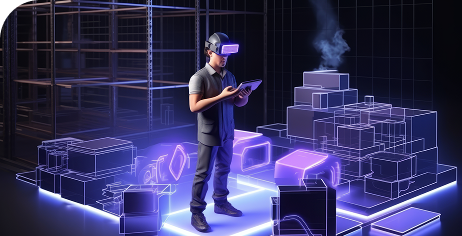
Powering real-time 3D experiences for industry Leverage the power of XR to build and scale immersive experiences for industry. With the creation tools and enterprise-level support you need, your team is equipped to deliver dynamic applications across devices.
Know More
Retail and commerce
Build, operate, and manage immersive retail experiences for operations, sales and marketing, and more. Real-time 3D solutions can help enhance your commercial strategy and turn shoppers into buyers.

Transportation
From conceptual design to virtual prototyping and immersive training, Unity’s solutions empower air travel, rail, and other mass transit organizations to enhance efficiency, boost safety standards, and elevate customer experiences.

Energy
Integrate disparate data types like metadata, maintenance schedules, and sensor data, then visualize it in an accessible, interactive environment. This also enables you to efficiently manage asset performance, helping boost revenue and reduce maintenance costs.





Unity Studio
Unleash your creativity
Quick and easy creation of interactive 3D applications. Unity Studio is an intuitive web-based editor that empowers anyone to build and share in 3D, without any coding or complex workflows.
Know MoreUnity Parsec
Create Without Boundaries
Connect to your studio from anywhere. Distributed teams can access their workstations with near-zero latency to create wherever inspiration strikes.
Know More
Plans & Pricing
Personal
For hobbyists and small indie teams. Additional options available for students and educators here.
Free

For gaming and entertainment applications only.
- Publish to web, desktop, AR/VR, and mobile
- Hundreds of hours of free courses
- Unity Version Control (max 3 users)
- Over 8,000 free assets from the Unity Asset Store
- Access to the Unity Cloud ecosystem
Pro
For experienced teams and solo developers.
Custom pricing
Required for businesses with over $200K in funding.
Everything in Personal, and:
- Build and publish for game consoles
- Expedited customer support
- Unity Version Control for all users
- Additional cloud storage and features
Enterprise
For ambitious teams solving complicated problems. Special terms apply for gambling.
Custom pricing
Required for businesses with more than $25M in revenue.
Everything in Personal, and:
- Cloud and on-prem build automation
- Source code access (read only)
- Additional year of LTS support
- Dedicated support
- Enterprise cloud storage and features
Asset Transformer Studio
Import, prepare, and optimize large CAD and 3D files for real-time use with advanced geometry processing and real-time rendering preparation.

The Datech Advantage

Since 2023
- Your one-stop shop for all your design needs with more than 2 decades of global design software expertise.
- Market Specialization.
- Comprehensive global reach with local technical enablement and support.
- Digital distribution & operational efficiency.
- Access to complementary software and solutions ecosystem.
Testimonials

CORY HEIZENRADER
EDUCATIONXRCEO
EducationXR is a creation suite with cross platform automatic multiplayer (phones, tablets, desktops, VR, etc). We chose Unity for its cutting-edge XR support and flexibility

JACKIE LI / ZUGALU ENTERTAINMENT
Lead Concept Artist and Technical Artist
Unity has many APIs that do exactly what you want. This includes grabbing specific information from an imported FBX, easy toggling Shader Keywords, and creating custom Editor tools with easy-to-use Inspector APIs.

THOMAS STRIGL
REALVIRTUAL.IOCEO
By leveraging Unity’s powerful ecosystem, it ensures that virtual commissioning is not only faster and safer but also more adaptable and scalable for the future of industrial automation.

GOKUL R J / TRAVANCORE
ANALYTICSLead Engineer, Spatial Computing Solutions
We excel in using top-notch technology services like Unity to build game-changing transformative solutions. Our collaboration with Forklift University (Virtual Forklift) in developing forklift training solutions illustrates this.

JULIEN BERTA
SMARTPIXELS President
Thanks to Unity, achieving rich visuals and realistic renderings has become an exciting and efficient journey for our team. Unity's dynamic lighting and shading have empowered us to create visually stunning 3D renderings.
JEFF MCMANUS / BOSCH REXROTH
Director of Sales – Industrial Hydraulics
The availability of this technology empowers my team to demonstrate the features and benefits of our products to anyone, anywhere, without the need to arrange a predetermined event.

MICHAEL LIBBY
WORLDBUILDRCEO
The availability of this technology empowers my team to demonstrate the features and benefits of our products to anyone, anywhere, without the need to arrange a predetermined event.

THEO PUIJK / KLM ROYAL DUTCH
AIRLINESXR Lead Developer
Unity Editor scripting is crucial in creating our training programs. It provides tools to create custom interfaces that our developers use to speed up tasks, allowing them to focus on the details and challenges of creating an extensive training app.

RUBEN DE LA TORRE / GOVAR
Lead XR Developer Audi Virtual Exhibits
Unity and PolySpatial is a game-changer in Apple Vision Pro development. Its seamless integration, and fast iteration times simplified development. This was key to successfully delivering an immersive experience with stunning photorealistic visuals.
GREG GULNAC SR. / BOSCH
REXROTH Sales Engineer
In the virtual showroom, customers can physically see and touch the internal hydraulic components, and visualize the quality of the system.

JAMES CLARKE
HR WALLINGFORDTechnical Director, Ships and Dredging
The support provided with Industry Success has made a big difference. We've made more progress working with our Partner Relations Manager, than during the previous two years.

JORICK HUIZINGA
PRESPECTIVECEO & Founder
We value Unity’s cutting-edge real-time 3D engine; which gives us a powerful and flexible foundation. Prespective adds unmatched accuracy and specialized industrial-grade tools. Together, we form the ultimate solution for next-gen virtual prototypes.

OGUZ AYAR
VOODOO Lead User Acquisition Manager
Leveraging Unity Ads powered by Vector allowed us to drive better overall performance on our IAP ROAS campaigns on both platforms and maintain consistent scaling. Our hybrid growth on Unity Ads has now reached a new peak we haven’t seen before.

MASANOBU NISHITANI
SEIKO EPSON CORP.Development Leader Simulator, MS planning and design department
The ability to replicate the features of the existing simulator, suitability for mobile development, the abundance of information available in Japanese, and the active developer community that Unity offers made all the difference.

STARR LONG
THE ACCELERATION AGENCYExecutive Producer
Part of the process of building OPTICS was creating these edge agents for each of the data streams that the Port wanted to integrate, with the overall goal of integrating all of their systems into a single pane of glass,

NICOLAS IMHOF
VIRTAMED Head of Content Development
I highly recommend Unity for robotic simulation development due to its advanced articulation bodies. It's ideal for creating robotics simulations due to its robust physics engine, excellent editor, and superior debug visualization tools.
News & Events

News 01
Find your favorite Autodesk program for design, development, and creative projects, tailored to meet your specific needs in various fields.
News 02
Find your favorite Autodesk program for design, development, and creative projects, tailored to meet your specific needs in various fields.
News 03
Find your favorite Autodesk program for design, development, and creative projects, tailored to meet your specific needs in various fields.
Real-time 3D powers multiple use cases

Customer Service

AI Scanning

Training

Advertising

Game Design

Visualization

How To

Simulation
Learn Unity

Essential Pathways
New to Unity? This guided learning Pathway includes everything you need to get started.

Junior Programmer Pathway
Ready to code? This guided learning Pathway will take you from zero to job-ready.
Creative Core Pathway
Ready for more? Level up your core understanding of Unity with the creative aspects of the engine.
How to Get Started?
Step 1
Download the Unity Hub
Before you can start creating in Unity you’ll need to download and install the Unity Hub. Windows, Mac Intel, Mac ARM64, or Linux.
Step 2
Install the Unity Hub
Once your download and install has completed, open the Hub and login or create a Unity account.
Step 3
Download the Unity Hub
In the Hub, start a tutorial or open a new project. The latest version of the Unity Engine will download automatically.